
30 Sep 2026
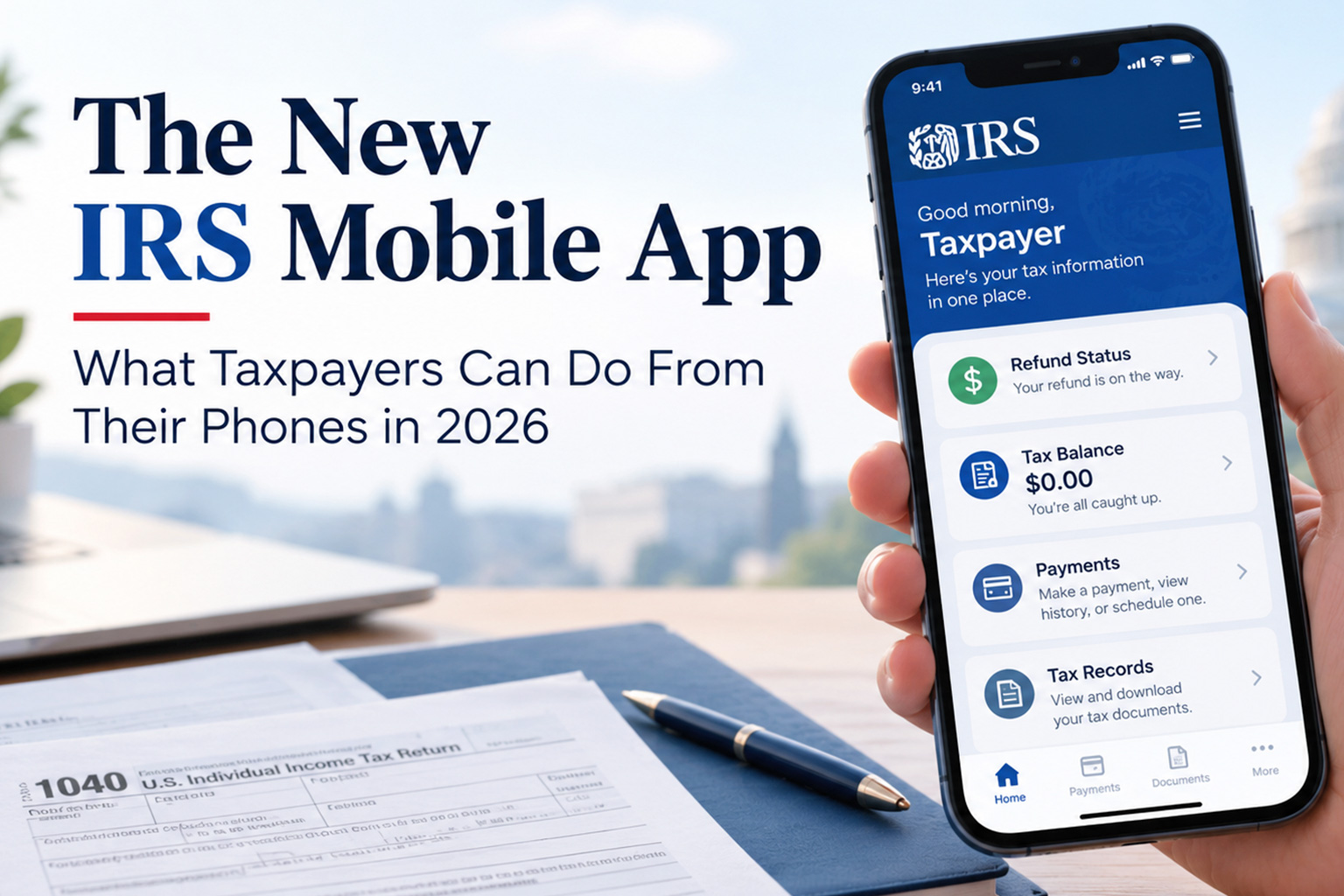
If you have ever dug through IRS.gov just to see whether your refund moved, a phone app that handles more of that is welcome news. On September 25, 2026, the IRS launched a new mobile app that adds account features to its older refund-tracking tool. The IRS mobile app 2026 release is genuinely useful, but it is not the whole IRS website in your pocket.
It covers selected Individual Online Account services, and much still lives on IRS.gov. Here is what it does today and where you will still need a browser.
What Is the New IRS Mobile App?
The new IRS app is the agency’s official mobile app for individual taxpayers. It is free on the Apple App Store and Google Play, and the IRS says it is available in English or Spanish. The agency announced it on September 25, 2026 (news release IR-2026-114).
The IRS describes it as part of a digital-first approach: meeting taxpayers where they choose to interact with the agency, at home or on the go. Anyone can download it, but the account features are built on the Individual Online Account. Business Tax Account and Tax Pro Account stay on IRS.gov.
The IRS also says more features are coming, though it has not published a list or timeline. Until it does, treat anything not described below as not yet available in the app.
What Can You Do With the New IRS App in 2026?
Short answer: You can check refund and amended-return status without signing in. After signing in, you can view balance information, make payments, read select notices, access tax records and transcripts, manage certain profile settings, and get an Identity Protection PIN (IP PIN).
|
Task |
IRS app |
IRS.gov |
Sign-in needed in app? |
|
Refund status |
Yes |
Yes |
No |
|
Amended-return status |
Yes |
Yes |
No |
|
Balance and payment history |
Yes |
Yes (online account) |
Yes |
|
Make or schedule a payment |
Yes; guest option links to IRS.gov |
Yes |
Optional |
|
Tax records and transcripts |
Yes (available records) |
Yes |
Yes |
|
Select notices and letters |
Yes |
Yes (online account) |
Yes |
|
Identity Protection PIN |
Yes |
Yes |
Yes |
|
Business or Tax Pro Account |
No |
Yes |
Not applicable |
|
Forms, publications, tax guidance |
Links only |
Yes |
No |
Without signing in, the app also links to free filing options (IRS Free File, Free File Fillable Forms, and free help at VITA and AARP Foundation Tax-Aide sites) and to popular IRS.gov topics, forms and contact options.
Note the IRS wording: “selected” services and “available” records. Do not assume every notice or transcript appears in the app. The IRS also notes compatibility issues with some assistive technologies and publishes an app accessibility guide.
IRS Mobile App vs. IRS2Go: Is It a Replacement?
Short answer: The IRS says yes, the new app replaces IRS2Go. But it is not a competing product, and it does not replace IRS.gov.
IRS2Go was the agency’s smartphone app for checking refund status and finding free filing resources, and the IRS says it served taxpayers for more than a decade. The new IRS app is that same app with a new name and added features. Previous services remain available, and IRS2Go users do not need to download anything separately.
So the “IRS2Go replacement” label is accurate for the app, with one caveat. What changed is the app, not the IRS’s online account system. The IRS says IRS.gov, the Individual Online Account, Business Tax Account and Tax Pro Account all continue. If your phone still shows IRS2Go, update it manually and use only the links on IRS.gov/help/app.
Can You Check Your Tax Refund From the IRS App?
Yes. The IRS says you can check the status of a refund or an amended return with or without signing in. This is the function carried over from IRS2Go. The IRS app page does not list the exact details the check requests, so follow the on-screen prompts and keep your return handy.
The app reports status. It does not speed up processing or change when your refund arrives.
Can You Pay Taxes Through the IRS App?
Yes, with some nuance. After you sign in, the IRS says you can pay a balance due, schedule a payment and review payment history. Without signing in, the app’s guest payment option directs you to the payment options on IRS.gov. The IRS says paying directly from a bank account is free, while cards, debit cards and digital wallets such as PayPal or Venmo carry a fee.
The IRS has not published a method-by-method list for the signed-in experience, so do not assume every payment tool works inside the app. Payment plans are listed on IRS.gov, so start there if you cannot pay in full.
Can You View Tax Transcripts on the IRS App?
Yes, after you sign in. The IRS says signed-in users can access and download tax records, including transcripts and information return documents. The IRS wording is “available” records, and it has not said which transcript types or tax years appear. If you cannot find what you need, IRS.gov has a separate tax record (transcript) service, and Form 4506-T is the paper request option.
Do You Need an IRS Account to Use the App?
Only for some features. No account needed: refund and amended-return status, guest payments, free filing options and resource links. Account required: balance information, payment history, tax records, notices, profile updates and IP PIN access.
The IRS says to sign in to your Individual account with ID.me. The app opens a secure browser tab, then returns you to the app once your identity is verified. The IRS does not detail the verification steps, so follow the ID.me prompts. Business accounts are not part of the app.
Is the IRS App Safe to Use?
The IRS presents the app as a secure way to reach your account, but it has not published technical security details, and no app removes all risk. Here is what you control:
- Download only from the links at IRS.gov/help/app or the official Apple App Store and Google Play listings, and confirm the publisher is the IRS.
- Never install an “IRS” app from an ad, text or email. The IRS says it does not request personal or financial information through unsolicited texts, emails or pop-ups.
- Report look-alike apps at IRS.gov/submitatip.
- Protect your sign-in credentials, use a device passcode and keep your phone’s software updated.
What You Still Need IRS.gov For
The IRS is explicit that the app does not replace IRS.gov, which continues to provide comprehensive tax information, guidance, forms, tools and services. In practice, you will still need a browser for:
- Business Tax Account and Tax Pro Account.
- Individual Online Account features beyond the selected ones in the app.
- Forms, instructions, publications and tax-law guidance.
- Payment plans, EFTPS and other payment tools.
Telephone and in-person help also remain available for taxpayers who need individualized assistance.
When Should You Use the IRS App vs. IRS.gov vs. a Tax Professional?
Use the IRS app when:
- You want a quick refund or amended-return status check.
- You need to see a balance due, or pay or schedule a payment.
- You need an available transcript or notice while away from a computer.
Use IRS.gov when:
- You need forms, instructions, publications or tax-law guidance.
- You manage a business account or work as a tax professional.
- You need a payment plan or a payment method the app does not offer.
Consider a tax professional when:
- You received a notice and are unsure what it means or how to respond.
- Your return involves business income, multiple states or other complicated facts.
- You owe more than you can pay, or you disagree with an IRS determination.
- You need advice on your own situation, since the app and IRS.gov offer general information.
Checking a refund or making a payment is something most people can handle on their own.
What the IRS Mobile App 2026 Launch Means for Taxpayers
The IRS mobile app 2026 launch puts refund status, balances, payments, notices, transcripts and IP PIN access on your phone. It is a useful step up from IRS2Go, but not a replacement for IRS.gov, and the IRS has not promised specific new features.
Confirm what the app offers before relying on it, use only official channels, and turn to IRS.gov or a professional when it runs out of answers.
Frequently Asked Questions About the IRS App
What can I do with the new IRS app?
You can check refund and amended-return status without signing in. After signing in with ID.me, you can view balances, make payments, read select notices, access available tax records and transcripts, manage certain profile settings, and get an IP PIN.
Is the new IRS app replacing IRS2Go?
Yes. The IRS says the new IRS app replaces IRS2Go. It is the same app with a new name and added features, and IRS2Go users receive it through a normal update. The app does not replace IRS.gov or the IRS online accounts.
Can I check my tax refund on the IRS app?
Yes. The IRS says you can check refund and amended-return status with or without signing in. The app shows status only and does not speed up your refund. Follow the on-screen prompts for the information it asks for.
Can I pay taxes through the IRS app?
Yes. Signed-in users can pay a balance due, schedule a payment and view payment activity. The guest option points to payment options on IRS.gov, where bank payments are free and card or wallet payments carry a fee. The IRS has not confirmed that every method works inside the app.
Can I view tax transcripts on the IRS app?
Yes, after signing in. The IRS says you can access and download available tax records, including transcripts and information return documents. It has not listed every transcript type or year. If you cannot find yours, use the transcript service on IRS.gov.
Do I need an IRS account to use the app?
For some features. Refund status, amended-return status, guest payments and free filing links work without signing in. Balances, payment history, tax records, notices, profile settings and IP PIN access require signing in to your Individual account with ID.me. Business accounts are not in the app.
Is the IRS app safe to use?
The IRS calls the app secure but has not published detailed security specifics, so no one can promise zero risk. Download it only through IRS.gov/help/app or the official app stores, avoid look-alike apps and unsolicited links, and protect your credentials. Report suspicious apps at IRS.gov/submitatip.
When You Need More Than a Tax App
The IRS app handles self-service tasks: checking a refund, making a payment, pulling a record. It cannot tell you how a notice affects your situation or how to plan for next year.
TaxProNext works with individuals and business owners who need that kind of help. Its services cover taxation, business setup, accounting and bookkeeping, business consulting, payroll services and virtual assistance. If your questions have moved past what the app or IRS.gov can answer, talking with a professional is a sensible next step.
Need help with a tax situation that goes beyond what an IRS app can answer? Talk with TaxProNext about your tax and business needs.